Signing in without passwords
There are no passwords on SoftWork Beats — nothing to write on a sticky note, nothing for staff to forget. Signing in takes an email address, and your subscription follows it to every device.
On the web
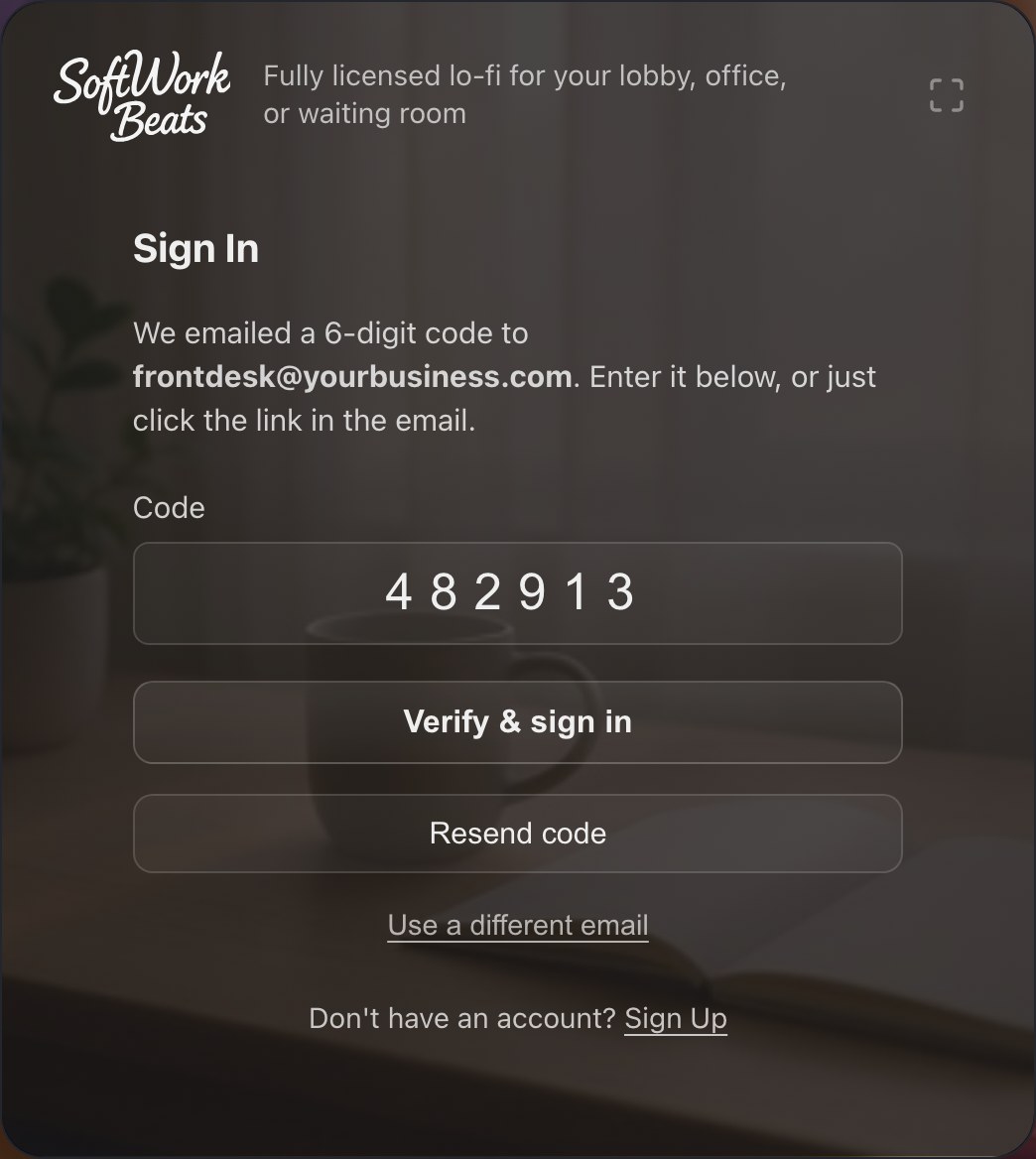
- Go to sign in and enter your email address.
- We email you a six-digit code (and a link — either works).
- Enter the code and you're in.
After you sign in, you can add a passkey — the fingerprint, face, or PIN unlock built into your device. Next time, signing in is one tap, still with no password.
On a TV
TVs are awkward to type on, so the TV apps pair with your account instead:
- Apple TV shows a short code and the address softworkbeats.com/apple. Open that address on your phone or computer, sign in, enter the code, and approve the device.
- Roku works the same way at softworkbeats.com/roku — see Using the Roku app.
The TV signs itself in the moment you approve it.
One account, every screen
Use the same email everywhere — front desk computer, lobby TV, the office iPad. Your plan and seats are attached to the account, not to any one device. You can review your devices, passkeys, and subscription anytime on your account page.