Connecting Claude
Claude can already answer questions about SoftWork Beats — what a plan costs, whether the license covers your kind of business, how to get music onto a particular screen. Connecting your account adds the part it has no way to guess: your subscription, your players, and the trivia running on your screens.
It takes about a minute, and you can undo it just as quickly.
You'll need an account
Free listening doesn't use one, so if you've never signed in there's nothing to connect yet — sign in first, then come back.
Add the connector
- In Claude, open Customize in the sidebar, then Connectors.
- Choose Add, then Add custom connector.
- Name it SoftWork Beats.
- For the address, enter https://softworkbeats.com/api/mcp
- Leave the two OAuth boxes under Advanced settings empty — those are for connectors that hand out their own keys, and ours doesn't.
- Choose Add.
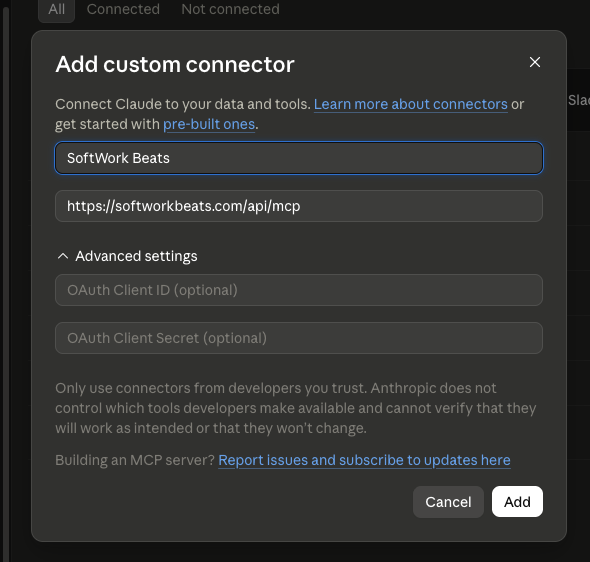
Include the /api/mcp on the end. Without it Claude arrives at our website instead of the connector, and reports that it couldn't find one there.
Approve it
Open the connector you just added and choose Connect. Your browser opens a SoftWork Beats page asking whether to allow it.
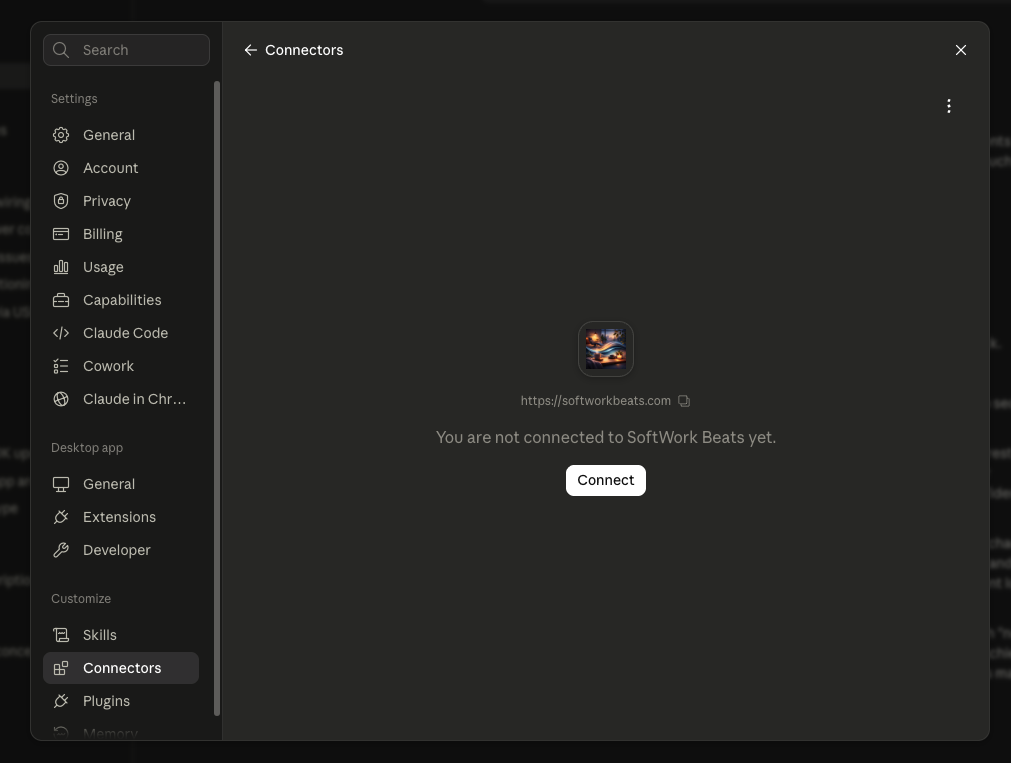
That page shows which account you're signed in as, lists exactly what the connection will be able to do, and names the address the access is sent to. Verified means we recognize the app that's asking. If it isn't verified, treat the name with suspicion — anyone can register an app under any name — and cancel if you didn't start this yourself.
Choose Connect, and Claude takes it from there.
What Claude can see
- Your subscription — whether it's active, and how many rooms it covers.
- Your players — the names you gave them, whether each is playing, and when one was last started or stopped.
- The trivia on your screens, including adding, changing and removing it.
Worth asking: how many rooms am I paying for, which of my players are on right now, or add a trivia fact about how long we've been open.
What it can't do
- Play, pause or skip the music.
- Change your plan, add seats, or make a payment.
- See anyone else's account, or touch the shared trivia everyone gets.
Disconnecting
In Claude, open Connectors and remove SoftWork Beats. That stops Claude from using it.
To cut the access off at our end as well — worth doing if that computer isn't in your hands any more — open your account page and disconnect it there.