On-screen trivia
While the music plays, your screens can show light, friendly trivia — a little life for a lobby TV or a waiting-room display. It's on the web player's screensaver, the Apple TV and Roku apps, and the iPhone and iPad ambient views.
Turn it on or off per screen
Each screen decides for itself:
- Web: open trivia settings and flip "Show trivia on this screen." The choice is saved on that device only.
- Apple TV: Settings → Show trivia.
- Roku: press OK, then Settings → Show trivia.
Tailor it to your space
Open trivia settings — no account needed — to shape what your screens show:
- General trivia — the default mix of light, crowd-friendly facts.
- Trivia for your space — opt into sets written for your kind of business: dental offices, medical offices, therapy clinics, and waiting rooms.
- Your own trivia — add your own questions or messages, with an optional answer. This one needs an account, so there's somewhere to keep them.
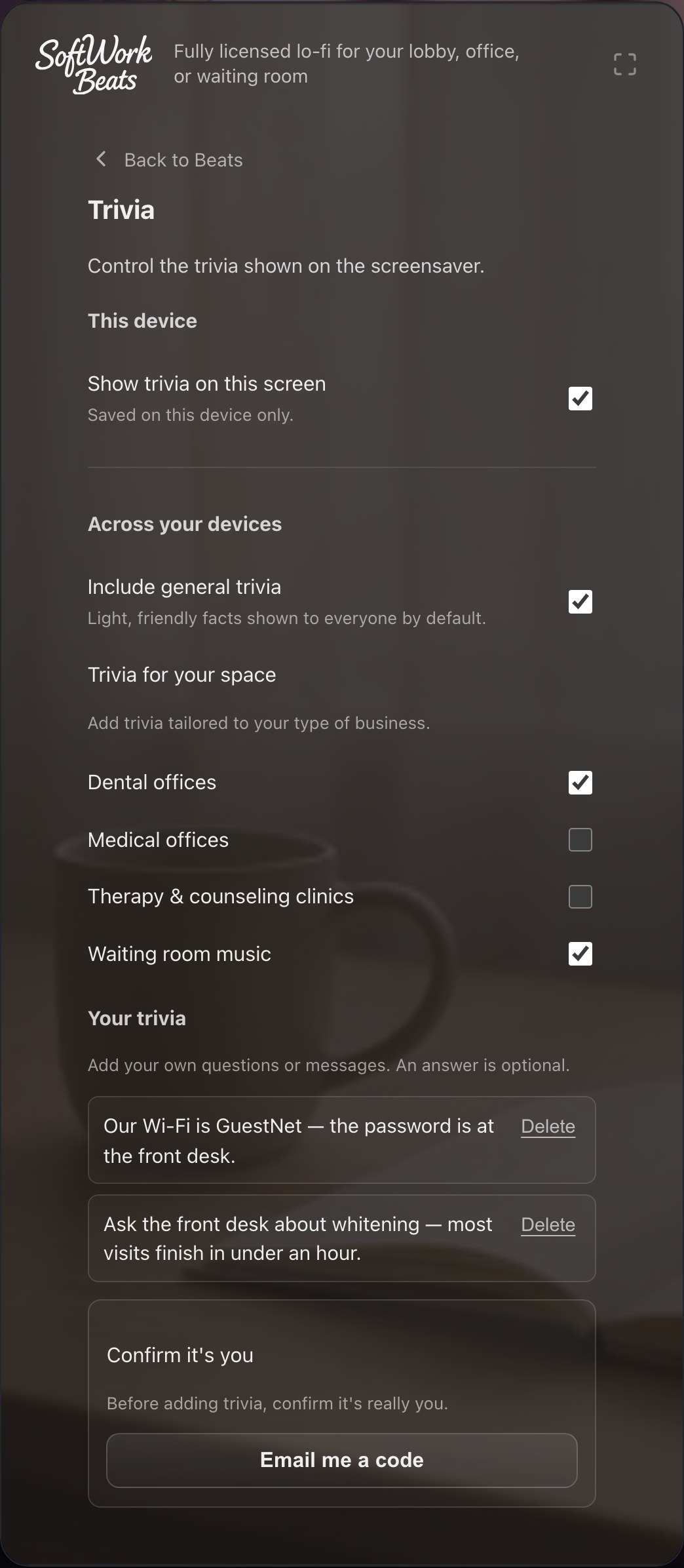
Signed out, those choices stay on that device. Sign in and they live on your account instead, following you to every signed-in screen.
Make it work for your business
Your own trivia is a quiet marketing channel on a screen people are already watching:
- "Ask the front desk about whitening — most visits finish in under an hour."
- "Our Wi-Fi is GuestNet — the password is at the front desk."
- "Did you know? We've been on Main Street for 20 years."
Adding your own trivia confirms it's really you first — a quick email code or passkey check — so a signed-in front-desk computer can't quietly put words on your screens.
Show it only when it's true
A message doesn't have to be on the wall forever. Beside each of your saved messages is a control that starts at Always on screen — open it and you can say when it runs:
- Dates — "Flu shots available through November 30", or a closed-for-the-holidays notice that clears itself.
- Days and hours — a breakfast board that becomes the lunch board at eleven, weekdays only.
They combine, and that is the point: weekdays 11:00–14:00, June through August, is a summer lunch menu. Everything is optional, and a message with nothing set shows whenever the screen is on.
Times follow the clock on the screen showing it, not ours — 11:00 means 11:00 where the television is. Each screen works it out for itself, so a menu still changes over on time on a day the internet is down.
The control also says what a message is doing right now, which is the thing you want when you go looking for one that isn't up:
- Not started — its dates begin later.
- Finished — its dates have passed. It stays in your list rather than vanishing, so you can reuse it next year.
- Not right now — the dates are right, but it's the wrong hour or the wrong day. It will be back.
Want it to look like something?
Your own messages can be more than a line of text — a menu with prices, an offer in a box, your logo over the album art. See designing a screen.